Sale Price:
$0.00
Original Price:
$10.00
Advanced MIDI Resizing & Pattern Reshaping for FL Studio
Reshape your MIDI with precision using RESIZER, a powerful piano roll script for FL Studio that lets you scale, compress, and rebuild entire patterns instantly. Whether you're fixing tempo mismatches, tightening ideas, or exploring new rhythmic structures, RESIZER gives you fast, musical control over your MIDI.
Scale Entire MIDI Patterns:
🔢 Custom Ratio (Multiply / Divide) – Resize patterns to match tempo changes or create new timing relationships.
🔁 Shift – Cyclically rotates the pattern left or right without changing note spacing or rhythm.
⚡ Quick Preset Buttons – Instantly multiply or subdivide patterns with some common options (X2, X3, X4, 1/2, 1/3, 1/4).
Clean & Restructure MIDI:
✂️ CONSOLIDATE (Ripple Delete) – Remove empty space and tighten notes into continuous phrases.
♻️ REFILL – Automatically rebuild patterns back to original length after resizing or consolidation.
📏 PRESERVE END - Controls how the script determines the phrase length (empty space until end of bar is preserved vs. last note end)
🔒 LOCK - Keeps the final pattern constrained to the original phrase length.
🎨 Color checkbox – Visual aid to see notes tied to pattern refilling.
Perfect For:
• Fixing off-grid or mismatched MIDI files with custom tempo conversion (i.e. 80 BPM → 120 BPM)
• Double-time / half-time ideas
• Removing dead space and rebuilding loops
• Exploring polyrhythms and subdivisions
RESIZER works at the pattern level, letting you transform entire ideas in seconds.
🔗 Requires FL Studio 24 or later – Fully integrates with the Piano Roll.
📥 Instant Download – Reshape your MIDI workflow today.
Installation Instructions and User Guide included in download.
Advanced MIDI Resizing & Pattern Reshaping for FL Studio
Reshape your MIDI with precision using RESIZER, a powerful piano roll script for FL Studio that lets you scale, compress, and rebuild entire patterns instantly. Whether you're fixing tempo mismatches, tightening ideas, or exploring new rhythmic structures, RESIZER gives you fast, musical control over your MIDI.
Scale Entire MIDI Patterns:
🔢 Custom Ratio (Multiply / Divide) – Resize patterns to match tempo changes or create new timing relationships.
🔁 Shift – Cyclically rotates the pattern left or right without changing note spacing or rhythm.
⚡ Quick Preset Buttons – Instantly multiply or subdivide patterns with some common options (X2, X3, X4, 1/2, 1/3, 1/4).
Clean & Restructure MIDI:
✂️ CONSOLIDATE (Ripple Delete) – Remove empty space and tighten notes into continuous phrases.
♻️ REFILL – Automatically rebuild patterns back to original length after resizing or consolidation.
📏 PRESERVE END - Controls how the script determines the phrase length (empty space until end of bar is preserved vs. last note end)
🔒 LOCK - Keeps the final pattern constrained to the original phrase length.
🎨 Color checkbox – Visual aid to see notes tied to pattern refilling.
Perfect For:
• Fixing off-grid or mismatched MIDI files with custom tempo conversion (i.e. 80 BPM → 120 BPM)
• Double-time / half-time ideas
• Removing dead space and rebuilding loops
• Exploring polyrhythms and subdivisions
RESIZER works at the pattern level, letting you transform entire ideas in seconds.
🔗 Requires FL Studio 24 or later – Fully integrates with the Piano Roll.
📥 Instant Download – Reshape your MIDI workflow today.
Installation Instructions and User Guide included in download.

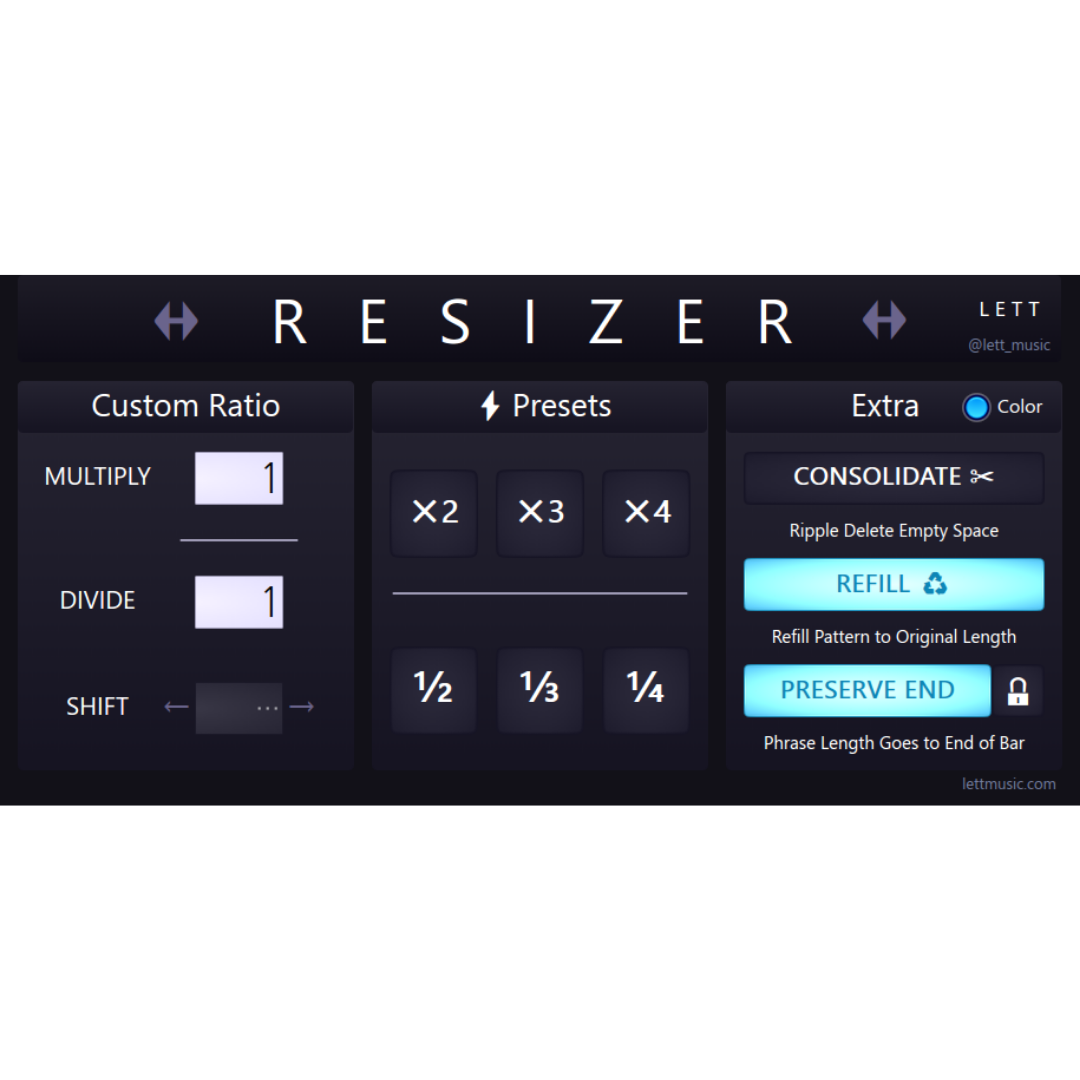 Image 1 of 1